Google Keyword Planner
Google’s own keyword tool, free with a Google Ads account. Great for finding keyword search volumes, competition, and CPC data. Best for PPC + SEO insights, though data ranges can sometimes be broad.
Visit Site

Discover strategies, tools, and insights to grow your brand in the digital era.
Find out what your audience is actually looking for and create content that will attract traffic.
Google’s own keyword tool, free with a Google Ads account. Great for finding keyword search volumes, competition, and CPC data. Best for PPC + SEO insights, though data ranges can sometimes be broad.
Visit Site 
Visualizes search queries people ask on Google into “who, what, why, how” questions. Free plan gives limited searches per day, good for content ideas and FAQs. Best for understanding audience intent.
Visit Site 
Neil Patel’s tool that provides keyword ideas, SEO difficulty, and backlink insights. The free version allows a few daily searches; paid unlocks full features. Best for new business owners.
Visit Site 
A free tool that shows keyword suggestions from multiple platforms like Google, YouTube, Amazon, Bing, Wikipedia, etc. Best for multi-platform content ideas. No advanced analytics but is fast and handy.
Visit Site 
It tracks keywords, monitors performance and compares multiple keywords. Free and great for spotting seasonal trends, trending topics, and regional interest. Does not provide exact search volumes.
Visit Site 
An all-in-one SEO toolkit for keyword research, site audits and content ideas. Paid plans provide access to in-depth keyword data and competitive insights.
Visit Site 
Known for its massive backlink and keyword database. It provides click metrics, SERP breakdown and competitor insights. A powerful tool that is best for SEO experts.
Visit Site 
User-friendly keyword research tool with clean UI. Shows keyword difficulty, search volume, and related keyword ideas. More affordable than SEMrush/Ahrefs, good for freelancers and small teams.
Visit Site Tips and guides on digital marketing, SEO, and tech from Webcooks.

Why Your YouTube Videos Aren’t Getting Views — YouTube SEO Hacks That Actually Matter in 2026
Are you spending hours stuffing keywords into titles, writing massive descriptions, and adding 30 tags—only to get zero views? YouTube SEO has changed. It is no longer about keyword checklists; it is about packaging, retention, and viewer satisfaction. Discover the truth about how YouTube discovery works in 2026 and the 10 growth experiments actually worth your time.
Read More
Why Nobody Watches Your YouTube Videos to the End - A Content Creation Framework That Holds Attention
Creating helpful videos isn’t enough if nobody stays to watch them. Learn the 7-step retention framework, how to master the crucial first 30 seconds, and how to build a repeatable content system that turns casual viewers into loyal subscribers.
Read More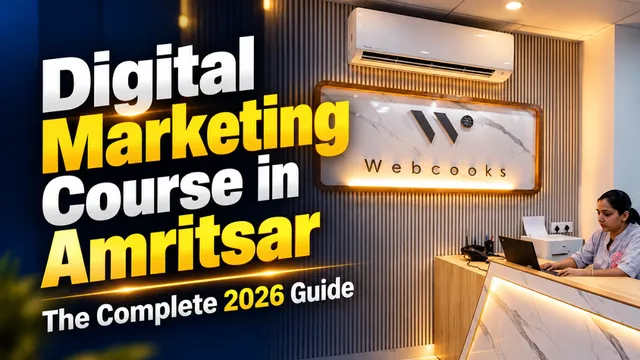
Digital Marketing Course in Amritsar: The Complete 2026 Guide
Looking for the best digital marketing course in Amritsar? Discover why Webcooks is the top choice for students and professionals. Explore our comprehensive 14-module syllabus covering SEO, Meta Ads, WordPress, and AI Marketing Automation.
Read MoreFAQ’s
Everything you need to know, all in one place
An AI Tools Library is a collection of tools that make digital marketing, SEO, and content creation easier. It helps you research keywords, write better content, and improve your website’s performance.
Absolutely, when used strategically. They tell you what your audience is searching for, help you optimize your pages, and even fix issues that may be holding your site back, leading to higher rankings.
Ahrefs Site Audit, Screaming Frog, and Google Search Console are excellent for identifying and fixing technical SEO problems.
Tools like Google PageSpeed Insights, GTMetrix, and Pingdom analyze your website’s loading time and recommend improvements for faster performance.
Use Google Trends and AnswerThePublic to track trending topics, user queries, and content opportunities based on current search trends.
Not exactly. Most AI tools are designed for users who don’t have a technical background. Some more sophisticated tools may require upfront configuration or a unique set-up; however, most tools will come ready to use right away, or through an onboarding experience.
Yes, often AI tools will work with common applications such as Google Suite, WordPress, Shopify, Slack, and most CRM applications. This saves time and work, builds workflows, and creates consistency across applications.
Not necessarily, there are often free versions (or trial limits). Paid plans are typically for advanced features—such as analytics, automations or integrations—or if you've exceeded a usage limit. We suggest starting with a free plan and upgrading later.