Why Your YouTube Channel Isn’t Growing — The Complete YouTube Studio Optimization Guide
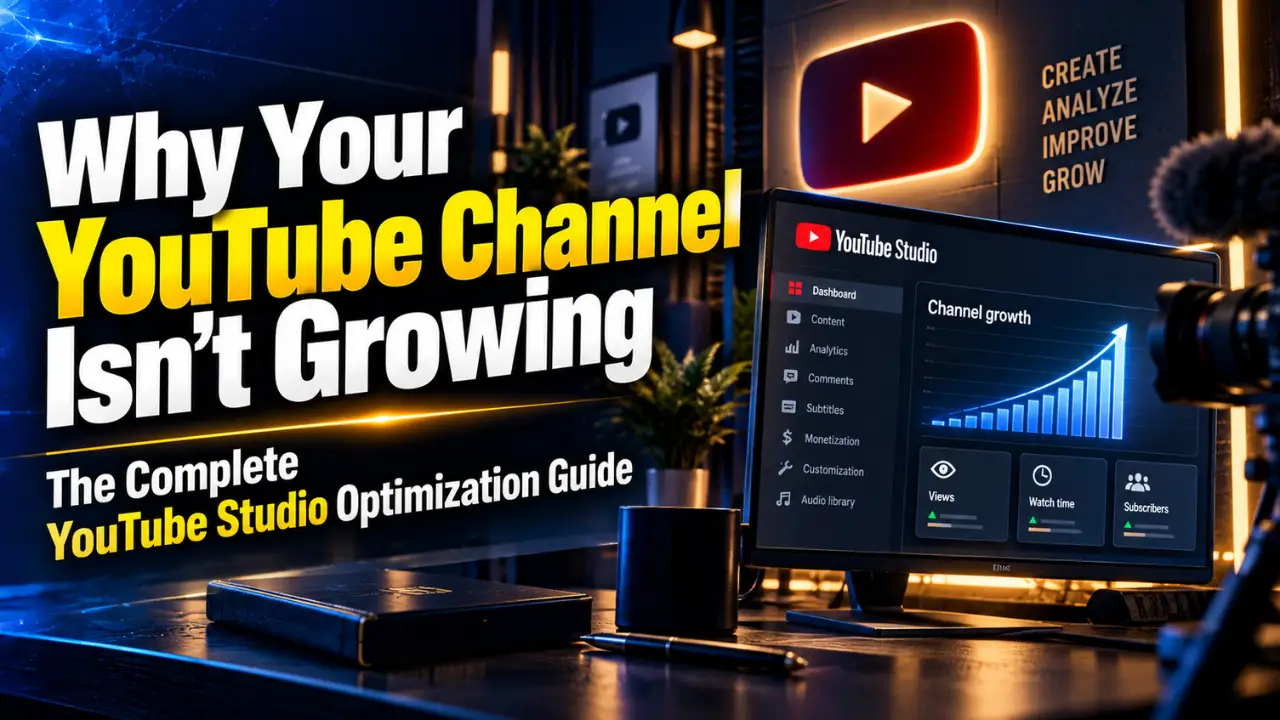
Why Your YouTube Channel Isn’t Growing — The Complete YouTube Studio Optimization Guide
You upload consistently.
You spend hours recording, editing, designing thumbnails and writing descriptions.
Then you open YouTube Studio the next morning.
127 views.
Meanwhile, another channel in your niche uploads what appears to be a simpler video and gets 20,000 views.
So what happened?
Was it the algorithm? The topic? Your thumbnail? Your channel setup? Audience retention? Or did YouTube simply show the video to the wrong people?
Here’s the uncomfortable part: creating good videos is only one part of growing a YouTube channel.
Your channel also needs to be packaged correctly, configured correctly and—most importantly—measured correctly.
Think about a physical store.
You could have the best products in the city, but if the storefront looks confusing, the shelves are disorganized and customers cannot immediately understand what you sell, many will leave.
Your YouTube channel works similarly.
A new viewer may discover one video first, but if they become interested, they often explore your channel, playlists and other videos before deciding whether you deserve another 10 minutes of their attention—or a subscription.
And YouTube Studio is effectively the control room behind that entire operation.
So instead of asking:
“Why isn't YouTube promoting my videos?”
Let's ask four more useful questions.
Is your channel designed to turn visitors into viewers and subscribers?
Are you actually using the important tools inside YouTube Studio?
Are your individual video settings helping discovery?
Are you reading your analytics correctly?
Let's work through them.
Is Your YouTube Channel Set Up to Turn Visitors Into Subscribers?
Imagine someone discovers one of your videos through YouTube Search.
They like it.
Then they click your channel name.
What happens next?
Within a few seconds, they should understand:
Who is this channel for?
What will I learn or experience here?
Why should I subscribe?
If those answers aren't obvious, your channel homepage may be wasting attention you've already earned.
Start with your channel identity
Your channel name, handle, profile image and banner should feel like parts of the same brand.
Suppose you're running a digital marketing training channel.
A vague banner saying:
“Welcome to Our YouTube Channel”
does almost nothing.
Compare that with:
“Learn SEO, Google Ads & Digital Marketing With Real Campaigns”
Now a new visitor immediately understands the value proposition.
This is particularly important for businesses.
Look at how established educational brands such as HubSpot have historically treated YouTube: the channel isn't simply a random storage folder for company videos. Content is organized around subjects the target audience actually wants to learn about—marketing, sales, business and related skills.
That's the mindset you want.
Your YouTube channel isn't your company's video archive.
It is a content product.
Your Home tab needs a journey
A common mistake is allowing the latest uploads to define the entire channel experience.
Instead, think in sections.
For a digital marketing education channel, for example:
Start Here: Digital Marketing for Beginners
SEO Tutorials
Google Ads
Social Media Marketing
Real Campaign Case Studies
Digital Marketing Career Advice
Now imagine a visitor arrives because they watched your video:
How to Run Your First Google Ads Campaign
They open your channel and immediately see a Google Ads playlist containing ten related videos.
You have just answered the viewer's next question before they even asked it.
That's very different from showing them an unrelated WordPress tutorial, office event video and Instagram Reel.
Use your channel trailer strategically
Your trailer shouldn't simply say:
“Hello guys, welcome to our channel. Please like, share and subscribe.”
Why should they subscribe?
A stronger trailer quickly establishes:
Problem → Content promise → Proof → Reason to return
For example:
“Trying to learn digital marketing but tired of tutorials that only explain theory? On this channel, we break down SEO, Google Ads, social media and AI marketing using practical campaigns, experiments and real business examples.”
Now you've made a promise.
And every future upload should reinforce it.
Real-world lesson: consistency creates recognition
Think about channels built around highly recognizable formats—whether that's MrBeast's entertainment packaging or educational creators who repeatedly use recognizable topics, presentation styles and series.
The lesson isn't:
“Copy MrBeast's thumbnails.”
That's usually terrible advice for a B2B or education channel.
The useful lesson is this:
Make it easy for your audience to understand what experience they're going to get from you.
A finance audience, gaming audience, marketing audience and entertainment audience respond to very different packaging.
So here's your first channel audit question:
If a stranger opened your YouTube channel for five seconds—with the sound off—could they explain what your channel is about?
If not, optimization should begin there.
Are You Using All the Important YouTube Studio Dashboard Options?
Many creators treat YouTube Studio like this:
Upload → Check views → Check subscribers → Leave.
That's like buying an analytics platform and only checking the homepage.
YouTube Studio contains multiple areas that solve very different problems.
Dashboard: your morning control room
Your Dashboard gives you a quick health check.
Depending on your channel and eligibility, you'll find information such as recent content performance, channel analytics, recent comments, subscribers, notifications, achievements and policy-related information.
Don't just stare at the total view count.
Ask:
Is my latest video performing differently from normal?
If yes:
Why?
That second question is where growth begins.
Content: your video inventory
The Content section is where you manage your published videos, Shorts, live content and related uploads.
But don't think of it purely as administration.
Think of every published video as an asset.
Suppose you have 100 videos.
Five consistently attract viewers.
Twenty get occasional traffic.
Seventy-five barely move.
Most creators immediately focus on video number 101.
But what if one of those existing 75 videos has a strong topic and weak packaging?
YouTube's current guidance specifically notes that changing a video's title or thumbnail can shift performance because viewers may respond differently to the new presentation. It does not mean YouTube automatically punishes you for changing the thumbnail.
That's an important distinction.
Sometimes your next growth opportunity isn't another upload.
It's improving an existing one.
Analytics: stop looking only at views
Analytics is arguably the most valuable part of Studio.
Views tell you what happened.
Analytics helps you investigate why.
Suppose:
Video A: 5,000 views
Video B: 2,500 views
Video A appears to be the winner.
But then you discover Video B generated more subscribers, stronger retention and significantly more returning viewers.
Which one should influence your next content decision?
Suddenly the answer isn't obvious.
That's why channel strategy cannot be reduced to views.
Community: audience research hiding in plain sight
Comments are not merely engagement signals.
They are research.
If viewers repeatedly ask:
“Can you make a video about GA4 ecommerce tracking?”
that's a topic signal.
If they say:
“I understood SEO, but I still don't know how to choose keywords for a local business,”
that's another content opportunity.
Your audience is literally telling you what knowledge gap remains after watching your content.
Smart creators turn those gaps into future videos.
Subtitles
Captions make your content easier to understand and more accessible, particularly when audiences have different accents, listening environments or language backgrounds.
Review auto-generated captions when accuracy matters—especially for technical terms, brand names, software names and industry terminology.
“GA4” becoming something completely different in captions doesn't exactly improve comprehension.
Copyright / content detection
Don't wait for a problem before learning this area.
Creators should understand the difference between copyright claims, takedowns and strikes, particularly when using music, stock footage or third-party clips.
Treat copyright as part of your production workflow, not an emergency you learn about after publishing.
Earn
For eligible creators and YouTube Partner Program participants, this is where monetization-related information and controls live.
We'll explore this deeply in Blog 4, because monetization deserves much more discussion than “reach X subscribers and turn on ads.”
Customization
This controls important parts of your channel presentation and branding.
Return here periodically.
Your channel at 50 videos shouldn't necessarily look exactly like your channel at five videos.
As your content library grows, your navigation should evolve with it.
Audio Library
Need music or sound effects for videos?
Don't automatically download whatever you find through a Google search and assume “copyright free” means safe for every use.
YouTube provides its own Audio Library for music and sound effects.
Quick audience challenge:
Open your YouTube Studio after reading this section.
How many sections have you barely opened in the last three months?
That's probably where your next optimization opportunity is hiding.
Are Your Video Settings Helping or Hurting Discovery?
Now we move from channel optimization to video optimization.
This distinction matters.
A beautifully configured channel cannot rescue videos people don't want to click.
Start with the three elements viewers usually encounter first:
Topic. Title. Thumbnail.
Your title isn't a keyword container
Compare:
Digital Marketing Course Full Tutorial 2026 SEO PPC Social Media Marketing
with:
Digital Marketing for Beginners: Complete 2026 Roadmap
The second title is easier to understand.
Now consider:
I Learned Digital Marketing From Scratch — Here's the Roadmap I'd Follow Again
That's a different approach again.
Which is best?
There is no universal answer.
The first is stuffed.
The second targets clear informational/search intent.
The third creates a curiosity-led promise.
The correct choice depends on who you're trying to reach and where you expect discovery to happen.
Your thumbnail and title should work together
Don't make them repeat each other.
If the title says:
I Tested 7 AI SEO Tools for 30 Days
your thumbnail doesn't need:
“I TESTED 7 AI SEO TOOLS FOR 30 DAYS”
again.
The thumbnail might instead communicate the outcome:
“ONLY 2 WORKED”
Now title + thumbnail create one idea together.
This is packaging.
And packaging matters because YouTube defines impressions CTR around whether people choose to watch after seeing a thumbnail.
But don't fall into another trap:
higher CTR does not automatically mean better video.
We'll come back to that.
Descriptions should help humans first
Your description can provide context, resources, links, chapters, related content and next actions.
Avoid turning it into a graveyard of repeated keywords:
“digital marketing course, best digital marketing course, digital marketing training, learn digital marketing…”
That isn't a compelling viewer experience.
Instead, explain what the video contains.
Then provide useful supporting information.
Playlists are underrated
Suppose you publish:
Technical SEO Audit Tutorial
Don't leave it isolated.
Add it to:
Complete SEO Course
and perhaps a narrower:
Technical SEO Tutorials
playlist where appropriate.
You're building pathways through your content library.
One useful video should create opportunities to discover the next useful video.
Don't ignore the “boring” settings
Depending on the video, review your:
Audience setting
Paid promotion disclosure
Altered/synthetic content disclosure where applicable
Language
Captions
Recording information
Category
Comments
Chapters
End screens
Cards
Playlists and other relevant details
Not every setting will magically generate views.
That's the wrong way to think about optimization.
The goal is to give YouTube and viewers accurate information while removing unnecessary friction from the viewing journey.
Example: the forgotten end screen
Imagine your viewer just watched your 12-minute video:
How to Do Keyword Research
They're interested enough to reach the end.
Then the video finishes.
Nothing happens.
You've just abandoned one of your warmest viewers.
Instead, direct them toward:
How to Turn Keywords Into an SEO Content Strategy
Now the relationship becomes:
Video 1 → Video 2
rather than:
Video 1 → Homepage → Someone else's video.
Ask yourself:
What should someone watch immediately after every important video on my channel?
If you don't know, your viewer probably doesn't either.
Which YouTube Analytics Numbers Should You Actually Care About?
This is where creators often get overwhelmed.
YouTube Studio can show a huge amount of data.
You don't need to obsess over every number.
Start by understanding a handful of metrics together.
1. Impressions
An impression broadly tells you how often your thumbnail was shown through qualifying YouTube surfaces.
Suppose your video receives:
50,000 impressions.
Is that good?
We still don't know.
We need another number.
2. Click-through rate
Suppose those 50,000 impressions produce a 3% CTR.
That's roughly 1,500 views originating from those impressions.
Now ask:
Why didn't more people click?
Maybe:
the topic wasn't appealing,
the thumbnail wasn't clear,
the title didn't create enough interest,
the video was shown to a broader audience,
or the competitive environment was stronger.
Context matters.
YouTube itself warns against interpreting CTR in isolation because CTR varies by audience and traffic source.
Search traffic, for instance, can behave differently from Homepage discovery.
3. Audience retention
Now suppose you improve your thumbnail.
CTR rises.
Great?
Maybe.
Then you open the retention graph.
A huge percentage of viewers leave during the first 30 seconds.
Now you have a different problem.
Your packaging successfully created interest.
Your opening failed to fulfill it.
This is why optimizing YouTube is a chain:
Idea → Impression → Click → Watch → Satisfaction → Next video
Improving one link while ignoring the others can simply move the bottleneck.
Example: two competing videos
Consider:
Video A
100,000 impressions
2.5% CTR
Video B
50,000 impressions
7% CTR
Which is better?
Your instinct may say Video B.
But Video B then loses 70% of viewers during its opening.
Meanwhile Video A keeps viewers engaged far longer.
Now which is better?
Still not enough information.
What were the traffic sources?
How much watch time did each generate?
What happened to viewers afterwards?
Did either video attract returning viewers or subscribers?
Was one topic simply much broader than the other?
This is exactly why creators get into trouble when they chase a single “magic metric.”
4. Watch time and average view duration
Views tell you how many viewing events happened.
Watch time tells you how much attention those views generated.
Average view duration helps reveal how long viewers typically stayed.
But even here, context matters.
A five-minute tutorial and a 45-minute podcast shouldn't automatically be judged using identical expectations.
YouTube's current creator guidance explicitly says there is no universal optimal video length.
The better question is:
Did the video stay valuable for as long as it needed to be?
5. Traffic sources
Where did your viewers come from?
Search?
Browse/Home?
Suggested videos?
Shorts?
External websites?
Playlists?
Different traffic sources represent different viewer contexts.
Someone searching:
“how to install GA4 on Shopify”
already has intent.
Someone scrolling their Homepage wasn't necessarily looking for you at all.
Your packaging has to earn that second person's attention.
6. New vs returning viewers
Growth isn't only about reaching strangers.
It's also about creating viewers who come back.
Imagine a restaurant attracting 1,000 first-time customers every month but almost nobody returning.
Would you call that a healthy business?
Probably not.
Your YouTube audience deserves similar thinking.
You need discovery and loyalty.
Real lesson: stop trying to please “the algorithm”
YouTube's current explanation of its recommendation system makes an important point: creators should focus less on whether “the algorithm” likes them and more on whether their audience likes the content.
YouTube describes content performance through three useful ideas:
Appeal: Did people choose to watch?
Engagement: Did they continue watching?
Satisfaction: Did they enjoy the experience?
That's a much healthier framework than trying to discover some secret algorithm hack.
So the next time a video underperforms, don't immediately say:
“YouTube didn't push it.”
Ask:
Was the idea strong enough?
Did people click?
Did they stay?
Did the video deliver what the packaging promised?
Did the right audience see it?
Those questions give you something actionable.
Your YouTube Channel Doesn't Need More Guessing — It Needs a System
Let's return to our original creator.
They upload a video.
It gets 127 views.
Previously, the reaction might have been:
“The algorithm hates my channel.”
Now we can investigate.
Maybe impressions are low.
That could point toward topic demand, competition, audience fit or insufficient discovery.
Maybe impressions are healthy but CTR is weak.
Investigate the title and thumbnail.
Maybe CTR is strong but viewers leave immediately.
Investigate the hook, opening and whether the video delivers the promise.
Maybe retention is strong but viewers rarely continue to another video.
Investigate your content library, end screens, playlists and topic relationships.
That's the difference between uploading videos and operating a YouTube channel.
YouTube Studio isn't simply where you upload.
It's where you diagnose.
And that diagnosis should influence what you create next.
Which brings us to the next problem.
Because you can perfectly configure your channel, understand every Studio option and analyze every metric...
…and still fail if your videos themselves don't hold attention.
So before you record your next video, ask yourself:
If someone clicks my video, have I actually given them a reason to keep watching after the first 30 seconds?
That's exactly what we'll solve in Blog 2: Why Nobody Watches Your YouTube Videos to the End — A Content Creation Framework That Holds Attention.
Next in the series: CREATE → Then DISCOVER → Then MONETIZE.
Written by
Udit
Webcooks Team